
LabelPeaks
LabelPeaks[Analysis]⟹Analysis
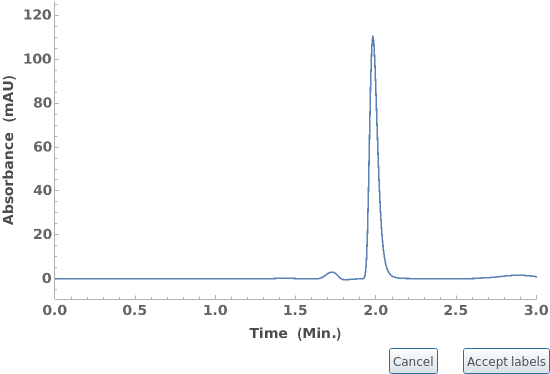
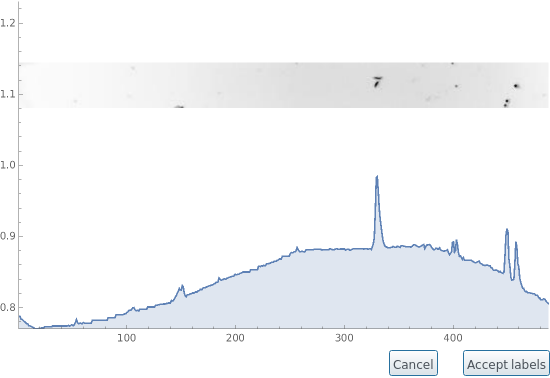
opens a graphical interface to interactively assign chemical components to peaks identified in Analysis.
LabelPeaks[Data]⟹Analysis
opens an interface for peaks most recently analyzed in Data.
LabelPeaks[Data, Field]⟹Analysis
opens an interface for peaks identified most recently analyzed in Data[Field].
Details
- constructs the interface by overlaying interactive labels on top of the graph generated by
 . The list of chemicals shown in the context menu are drawn from the
 field of the linked
 of
of .
.
- Chemicals picked from the context menu will be saved in as a
 with the corresponding linked
 in
in .
.
- Other objects in Constellation can be assigned to the peaks by selecting Other... in the context menu, and providing an ID or Name.
- Custom labels will be saved as a to
and as
in
 .
.
- Accept labels updates the and
fields of
with the chosen values, and returns the updated
 .
does not create new objects in Constellation.
.
does not create new objects in Constellation.
- Cancel returns without modification.
- blocks the kernel while the graphical interface is open. All further evaluations will be queued until the interface is closed either by pressing Accept labels or Cancel, or by
ing the current evaluation.

-
CorruptedObject The fields Position, Height, PeakRangeStart, and PeakRangeEnd of `1` are of unequal lengths: `2`, `3`, `4`, and `5`, respectively. InvalidField Field argument `2` for `1` is expected to be one of `3` containing data with associated peaks information. InvalidInput Input `1` is not an Object[Analysis,Peaks], or an Object[Data] with analyzed peaks. NoPeaksAnalysis No peaks information found associated with `1`. Run AnalyzePeaks on input object to identify and analyze peaks. NoPeaksPossible Input type `1` does not support peaks information. NoProtocol As of this version, LabelPeaks does not support labeling peaks in Object[Protocol]. UnknownDataType Field `1` of reference data object is of unknown Head = `2`.
Input

Output

Messages
Examples




Last modified on Mon 12 Sep 2022 16:03:10