
OrderSamples
OrderSamples[Objects,Amounts]⟹Transactions
generates a new order transaction to purchase the specified quantity of a given object.
Details
- Placing an order for a given product or a model sample creates a transaction order to track its status through when the ordered item is received.
-
AmountUnit The specified amount: `1` in the following samples: `2` is not compatible with the associated products. Please check the amount input and sample's products, and place another order. Deprecated The products `1` have been deprecated and cannot be ordered. InvalidProduct The product(s): `1` is missing required information for placing an order on it. Please check ValidObjectQ with Verbose->Failures on the product(s). NotForSale The following products or the products of the samples: `1` are not for sale and cannot be ordered. Please check to see if there is another product listing matching your model that is for sale, or consider generating a new product listing for the model. NoValidProducts The models `1` have no products that can be ordered, as those models are either missing product information or their products have been marked as Deprecated. Please create new products for these models so that we may place this order for you. OrderMustBeInternal Because the Emerald Cloud Lab is a Supplier of one or more of the requested Models or Products, InternalOrder must be set to True. SyncPermissionDenied You must be a Developer in the public environment to use the SyncOrders option.
Input

Output

Order Options
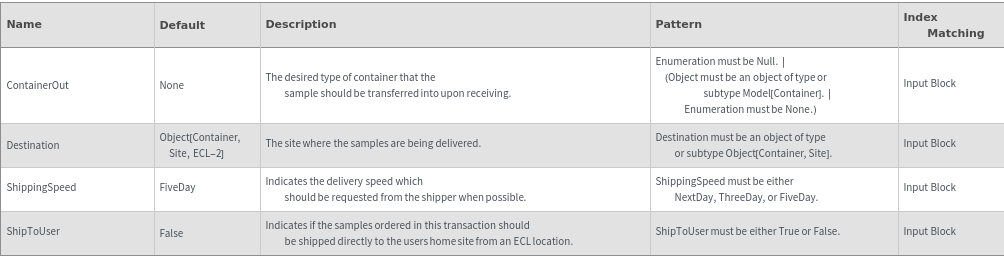
Shipment Options

General Options
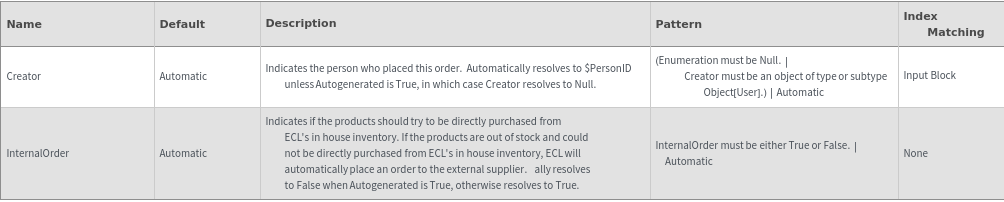
Messages
Examples
Basic Examples (4)
Place an order for a specified model item with the desired quantity:


Place an order for a specified model sample with the desired amount:


Place an order for a specified quantity of several different products:


Place an order for a specified quantity of the given product (the total received samples will be the specified Quantity multiplied by NumberOfItems specified in the product):


Additional Examples (3)





Options (17)
Autogenerated (1)


ContainerOut (4)
Specify that some of the samples should be transferred to a different container upon arrival (external order):


Specify that some of the samples should be transferred to a different container upon arrival (internal order):


Specify that the samples should be transferred to a different container upon arrival (external order):


Specify that the samples should be transferred to a different container upon arrival (internal order):




DependentProtocol (1)






InternalOrder (1)





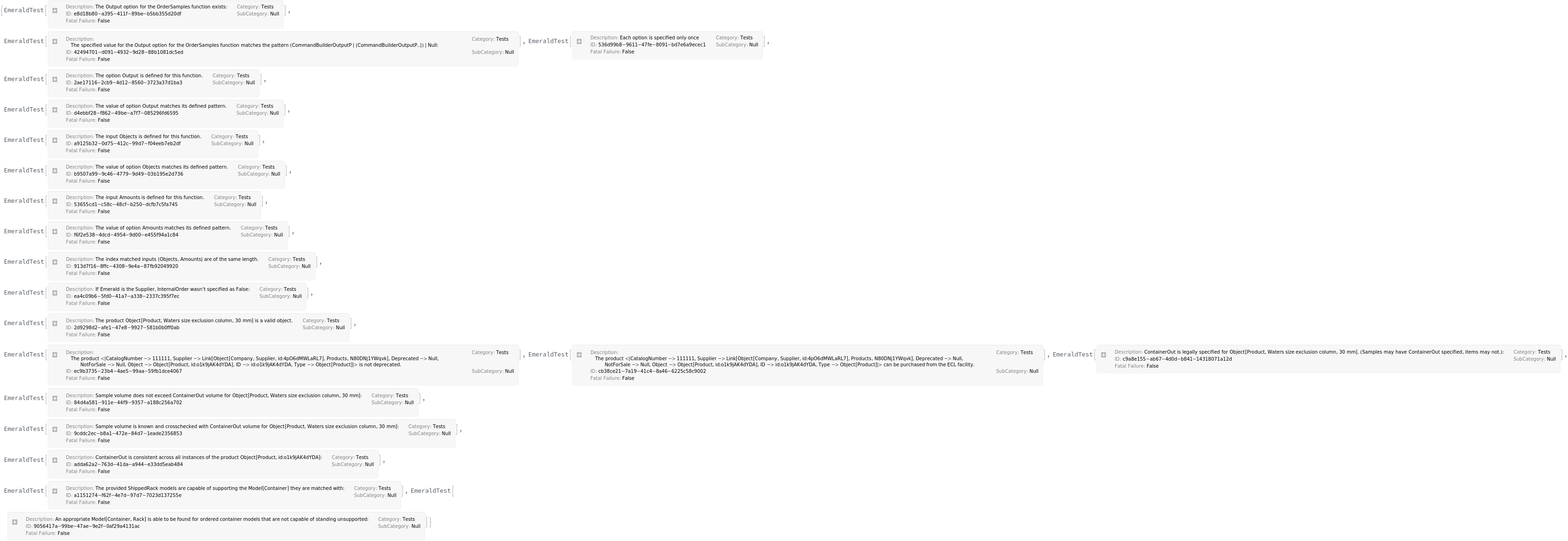
ReceivingTolerance (1)


ShippedRack (2)




ShippingSpeed (1)



Messages (22)
AmountUnit (1)


ContainerOutInconsistent (2)




ContainerOutNotValidated (3)
Give a warning if it cannot be determined whether the specified container out is large enough to hold the sample (model input):



Give a warning if it cannot be determined whether the specified container out is large enough to hold the sample (model input, internal order):


Give a warning if it cannot be determined whether the specified container out is large enough to hold the sample (product input):





IncompatibleProvidedRackModel (1)



InputLengthMismatch (2)






NoCompatibleRack (1)


NotForSale (2)






OptionNotRequired (3)








VolumeExceedsContainerOut (3)
If ContainerOut is too small to hold the sample volume, give a message and fail (external order, model input):




If ContainerOut is too small to hold the sample volume, give a message and fail (model input, internal order):


If ContainerOut is too small to hold the sample volume, give a message and fail (product input):

