UploadCapillaryELISACartridge
UploadCapillaryELISACartridge[analytes]⟹capillaryELISACartridgeModel
creates a new pre-loaded capillaryELISACartridgeModel with the specified analytes, cartridge type and species.
Details
- The pre-loaded capillary ELISA cartridge are used in ExperimentCapillaryELISA for Enzyme-Linked Immunosorbent Assay (ELISA) experiments. A pre-loaded cartridge of ExperimentCapillaryELISA is loaded with capture antibodies (embedded on the bottom of the glass nano-reactors), detection antibodies and streptavidin-conjugated fluorophore reagents, providing the complete assay of the entire ELISA workflow of the specific analytes.
- The cartridge comes with factory-calibrated standard curves of the assays, validated by the assay developer. A standard curve of an analyte was fit from standard sample data using the five-parameter logistic model: FluorescenceSignal = D + (A - D) / (1 + (Concentration / C) ^ B) ^ G Fluorescence is provided in unit RFU and Concentration is provided in unit Picogram/Milliliter.
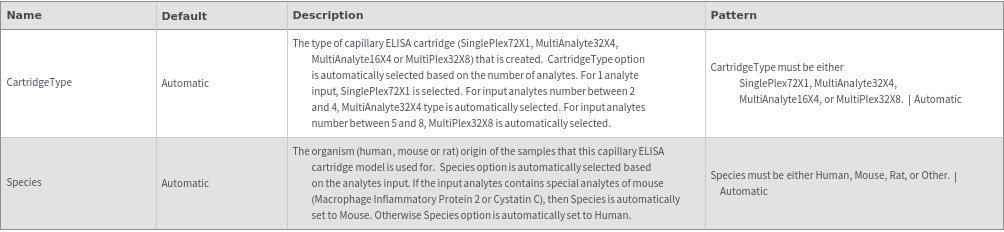
- There are four types of pre-loaded capillary ELISA cartridges. The cartridges are pre-loaded with validated ELISA assays, available for more than 200 analytes. Different pre-loaded cartridge types provide different sample numbers, analyte numbers and internal replicates:
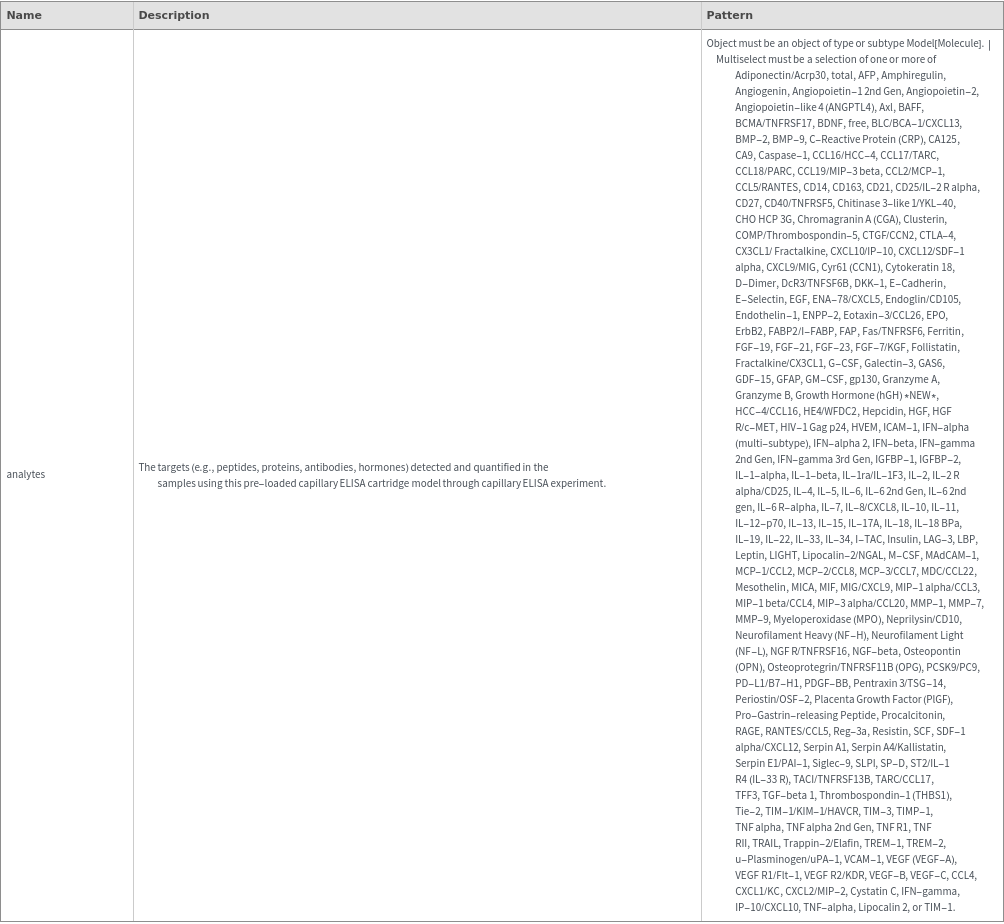
- Please refer to Object[Report,Literature,"Simple Plex Assay Menu"] for the available analytes of pre-loaded cartridges and Object[ManufacturingSpecification,CapillaryELISACartridge] of different analytes for compatibility and combination rules.
- Due to the manufacturing and validation steps, the lead time of a pre-loaded cartridge assay can take up to 14 days. After the new capillary ELISA cartridge model is created by UploadCapillaryELISACartridge, it is recommended to use OrderSamples to order the cartridge ahead to reduce the waiting time of the experiment.
Cartridge Type | Max Number of Samples | Max Number of Analytes | Internal Replicates per Sample |
| SinglePlex72X1 | 72 | 1 | 3 |
| MultiAnalyte32X4 | 32 | 4 | 3 |
| MultiAnalyte16X4 | 16 | 4 | 3 |
| MultiPlex32X8 | 32 | 8 | 2 |
Input
Output

Organizational Information Options