
PlotImagePreview
PlotImagePreview[Img]⟹Preview
creates a preview view of Img with rulers around the frame.
PlotImagePreview[{img ..}]⟹Preview
Previews each 'img' in a single figure.
PlotImagePreview[DataObject]⟹Preview
displays the preview for the image associated with the data object.
Details
- On Command Center:
- Measurement lines can be added using Ctrl+LeftClick+Dragging (Cmd+LeftClick+Dragging on Mac).
- Measurement points can be moved by hovering over a measure point and using Ctrl+LeftClick+Dragging (Cmd+LeftClick+Dragging on Mac).
- Measurement lines can be removed using Ctrl+LeftClick (Cmd+LeftClick on Mac).
- Zooming can be done using LeftClick+Dragging to create a zoom box.
- On Command Center (Desktop):
- Measurement lines can be added using Ctrl+LeftClick+Dragging (Cmd+LeftClick+Dragging on Mac).
- Measurement points can be moved by hovering over a measure point and using Ctrl+LeftClick+Dragging (Cmd+LeftClick+Dragging on Mac).
- Measurement lines can be removed using Ctrl+LeftClick (Cmd+LeftClick on Mac).
- Zooming can be done using LeftClick+Dragging to create a zoom box, or by scrolling in and out on the mouse wheel.
Input

Output

Frame Options

Image Format Options

Plot Interaction Options

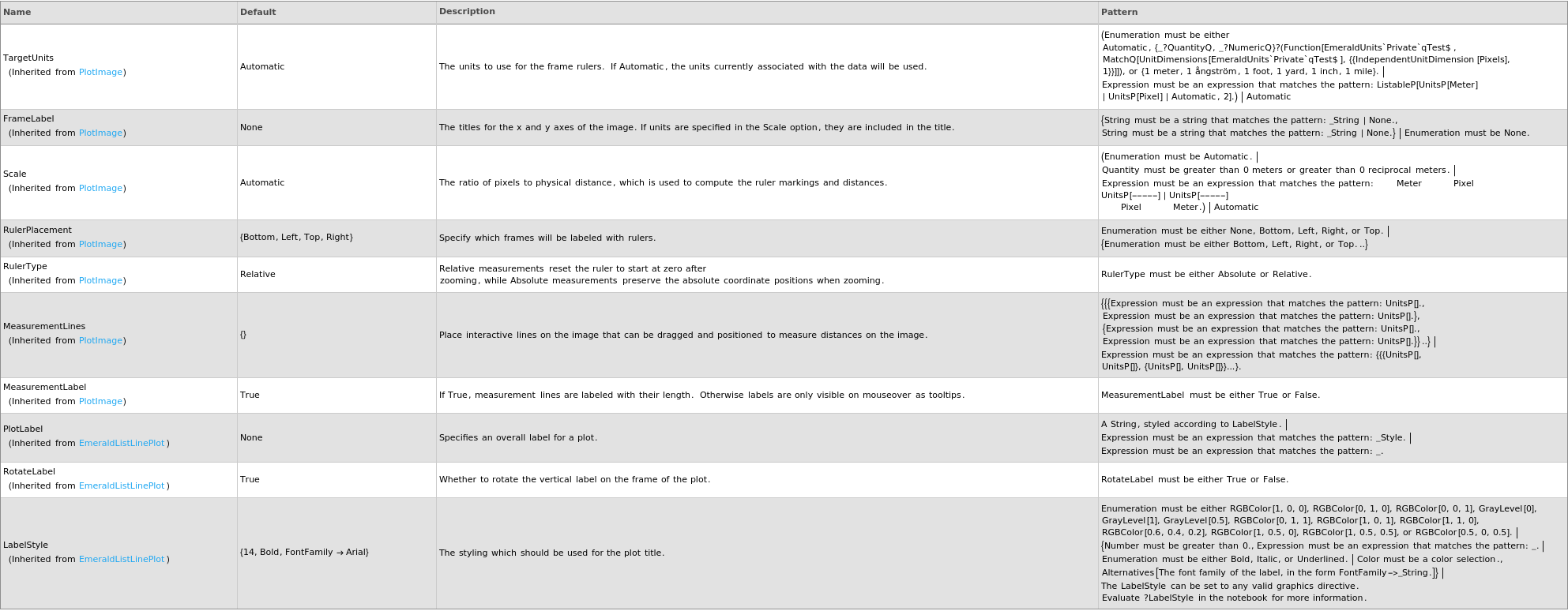
Plot Labeling Options
Plot Range Options

Plot Style Options

General Options

Examples
open allclose allLast modified on Wed 20 Aug 2025 20:56:14